A Content Producer Inside ChatGPT and Claude: One Skill Set Instead of Five Tools
A video went out yesterday, and the script for the next one hasn't started. The thumbnail got slapped together right before publishing. The same question has been sitting in the comments unanswered for three days straight. A weekly plan only exists in your head, and it shows in how randomly the videos actually come out.
Contents
- What a skill is and how it works
- Five tasks the set takes off your plate
- An honest note: the set was built for YouTube
- What this looks like in practice
- How this differs from five separate tools
- How to connect the set yourself
- Who this fits, and who doesn't need it yet
- Honest limits
- Where to start today
- Checklist
- FAQ
Normally a producer or content manager carries all of this. That person already knows what goes out Monday, what goes out Thursday, and which hook will land at the start of a video. Without one, every video gets made at the last minute, and hooks get picked at random. Algorithms want volume and consistency right now, and without a plan they get neither. A week with no plan rolls into the next one just like it, and over time that stops being a one-off slip and turns into a steady loss of pace, right where competitors keep publishing on schedule.
Hiring a producer isn't the only option. There's a free set of 11 skills on GitHub. It connects once to ChatGPT or Claude and takes over part of this work, everything from the script to the comment reply. Below is what's inside the set, what it looks like in practice, and who it actually fits.
What a skill is and how it works
A skill is a file with an instruction that you load into a neural network once. After that it knows how to handle a specific task, without re-explaining the rules. Without a skill, you describe the hook formula or the reply structure from scratch every single time. With one, saying "write a script" or "put together a reply to this comment" is enough, and the AI already knows which pattern to follow.
The set of 11 skills is built on the principle of one task, one skill. It connects to ChatGPT or Claude through plain files from an open repository, no coding needed: the steps are spelled out in the repository's own instructions, written for a human to follow. Once connected, you talk to the set in ordinary language, not developer commands.
Five tasks the set takes off your plate
Within the 11 skills, five working directions cover most of the routine in a content pipeline. The diagram below shows exactly what each one does.
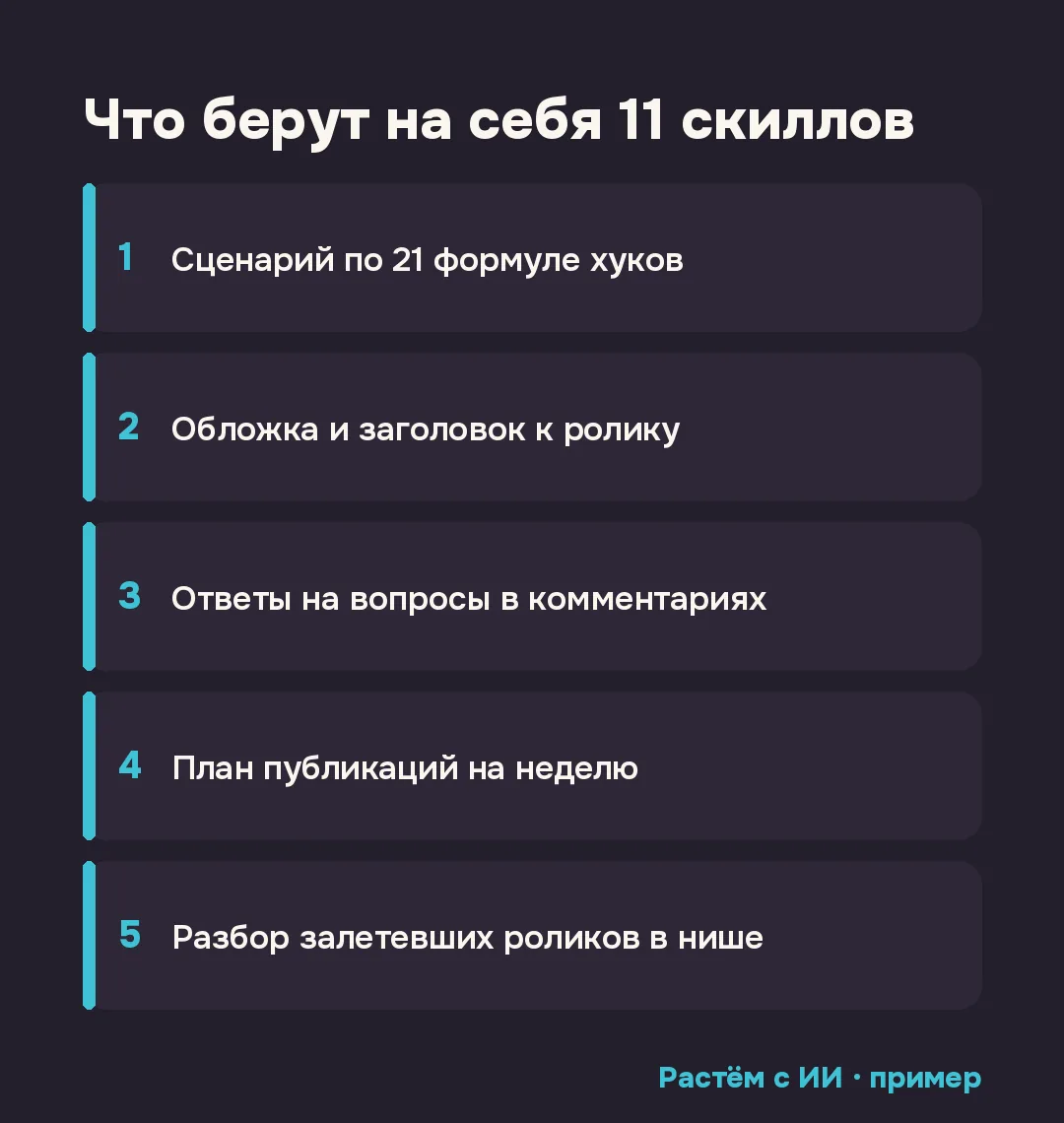
- Script from hook formulas. One of the skills writes a script using 21 proven hook formulas, the opening lines a video starts with. Instead of inventing an opening line from scratch each time, it picks a structure that has already proven it holds attention in the first few seconds.
- Thumbnail and title. A separate skill puts together the thumbnail and title combo for a video, and the set also includes a dedicated editing skill. This removes the most common snag: the script is ready, but there's no energy or time left for the thumbnail and title.
- Comment replies. A skill helps assemble a reply to the questions that keep repeating under your videos week after week. Instead of writing the same answer by hand for the third time, you shape it once through the skill and adapt it to the specific person.
- Weekly plan. A planner lays out what to publish and when, several days ahead. That moves a content plan out of your head and into an actual table with dates and formats, something you don't have to carry around in your mind between tasks.
- Viral video breakdown in your niche. The strongest skill in the set finds videos that took off in your niche and breaks down what their hooks and titles are built on, so you can rebuild those tricks for your own content instead of copying someone else's work word for word.
An honest note: the set was built for YouTube
The set was originally built and tuned for a YouTube channel: the connection to YouTube is explicit, and part of the skills were written specifically with that platform's logic in mind. If you pick it up expecting the same precision for Reels or TikTok out of the box, the result may not match that expectation.
That said, the logic behind the five tasks itself, script from a hook, thumbnail and title, comment replies, weekly plan, viral video breakdown, isn't tied to one platform. It fits anyone making video to promote their expertise: Reels, breakdowns, short lessons. The difference is that the set is tuned more precisely for YouTube right away, while other formats need some of the wording adjusted with follow-up messages.
What this looks like in practice
The easiest way to show it is through one task. You connect the planner skill and type a plain request: "Put together a weekly publishing plan for my topic, with dates and formats." What comes back isn't a vague suggestion like "post more consistently," it's a table with specific days, topics, and a format for each video.
The same logic works for the other four tasks. Ask for a script, name the topic, and the skill picks a hook formula and hands you a structure for the video. Ask for a breakdown of viral videos in your niche, and the skill finds and lays out exactly what's holding a stranger's successful video's attention in the first seconds.
How this differs from five separate tools
Without a set like this, an expert's content pipeline usually gets pieced together from several separate tools. One service for ideas, another for thumbnails, a third for comment reply text, and a weekly plan that still lives in your notes app. Every switch between tools costs time and requires remembering what's set up where.
A skill set pulls these tasks into one place. You connect it once to ChatGPT or Claude, and from then on all five directions get handled inside one chat, in plain language. That doesn't remove the need to check the result by hand, but it removes the constant switching between windows and services.
How to connect the set yourself
You download the set's files from the open GitHub repository and connect them to ChatGPT or Claude following the instructions in that same repository. It lays out the specific steps for each of the two AI tools, no coding required. Once connected, the skills are available right in the chat where you already work with the AI.
If you've never connected a skill to Claude before, I have a separate breakdown of what that actually means: what Claude Skills are and how to connect a ready-made one. And for what separates a skill that actually works from one Claude only reads part of, there's a breakdown here: how to write a skill for Claude Code so it actually works.
Who this fits, and who doesn't need it yet
The set pays off if you film video regularly and keep running into the same routine every week: script, thumbnail, replies, plan. The more often content goes out, the more noticeable the savings from not piecing those five tasks together by hand each time.
If a video only goes out once a month or less, the payoff from connecting the set doesn't outweigh the time it takes to set up and get used to the new commands. In that case, a plain chat request without a skill is simpler until the volume grows.
Honest limits
A skill doesn't replace your own judgment on whether a particular trick fits your audience. Read a viral video breakdown as a hypothesis you check yourself, not a finished answer you can publish without edits.
The first result, whether it's a script or a weekly plan, rarely comes out perfect right away. Adjusting it works the same way as with any other skill: a short follow-up in the same chat, something like "make the plan three days, not five" or "shorter hook, no question at the start." I covered this same idea of adjusting with words on another video skill: the /brag skill for Claude that assembles a promo video with one command.
Where to start today
Before connecting the whole set at once, pick the one task out of the five that's eating up the most of your time right now. Most often that's either the weekly plan or the comment replies. Connect that one skill, ask the AI to handle just that task, and look at the result before moving on to the other four.
Checklist
- A free set of 11 skills on GitHub connects once to ChatGPT or Claude, then you talk to it in plain language.
- Five tasks inside: a script built from hook formulas, a thumbnail and title (plus a separate editing skill), comment replies, a weekly plan, and a breakdown of viral videos in your niche.
- The set was originally built for a YouTube channel, but the same logic carries over to any video content: Reels, breakdowns, lessons.
- A skill's output, a weekly plan for example, comes back as an actual table with dates and formats, not a vague suggestion.
- The skill doesn't invent facts about your niche on its own, it breaks down hook formulas and viral examples from what it actually found, not from guesswork.
- The first table or script rarely comes out perfect, adjusting it with a quick follow-up message is a normal part of using the set.
FAQ
What is a skill for ChatGPT or Claude in plain terms?
It's a ready instruction packaged as a file that you load into a neural network once. After that it knows how to handle a specific task, like building a script from a proven hook formula, without you re-explaining the rules every time.
Do I need to know how to code to connect a set like this?
No. The set downloads from GitHub as regular files, and connecting it to ChatGPT or Claude is explained in the repository's own instructions, in plain words, no coding required. After that you talk to the set in ordinary language, like with a human assistant.
Does this work if I don't run a YouTube channel?
The set was originally built for a YouTube channel, but the logic behind the five tasks, script, thumbnail, comment replies, plan, viral breakdown, isn't tied to one platform. It fits anyone making video to promote their expertise, whether that's Reels, breakdowns, or short lessons.
How is this different from just asking ChatGPT to write a script?
A plain chat request starts from zero every time and depends entirely on how you phrased it. A skill already carries a tested structure for the task, for instance 21 hook formulas, so the result stays more consistent and doesn't need a long explanation in every new chat.
Can I trust the viral video breakdown for my niche without checking it?
Read it as a draft hypothesis, not a finished decision. The AI works with what it actually found, but whether a given trick fits your audience is still your call.
What if the weekly plan the skill produces doesn't match my real schedule?
Adjust it with a quick follow-up in the same chat: say how many days a week you actually film, which formats work for you, and ask it to rebuild the plan with those limits. That's a normal part of using it, not a reason to drop the tool.
Want a system like this for your niche?
Book a free review: I'll show you what can come off your plate in content and sales.
Book a review →