How an Assistant Asks a Client for a Testimonial and Turns It Into a Ready Quote
The session ends well, the client thanks you and says goodbye warmly. You're already thinking about the next meeting, not about asking for a testimonial right now: the moment feels wrong, and reminding someone about yourself right after the work feels awkward. The thought "I should ask for a review" moves into the pile of things to do later.
Contents
- Why timing decides everything
- What does this for you: a delayed message instead of your memory
- How to set up sending it: step by step
- Two questions that produce a testimonial with no effort
- How to turn the answer into a ready quote
- Going further: if you don't have ChatPlace
- What to watch for when setting this up
- Honest limits: what the assistant doesn't do
- If the answer is short or awkward
- Checklist
- FAQ
- Sources
A week later it's even harder to remember. The client has already forgotten the details of the session, and asking two weeks on reads as "sorry I only remembered you now." The result: two or three old testimonials sit on your site and profile, and a new person reading the page before booking finds silence where someone else's words about the result should be.
You don't have to ask yourself, and you don't have to remember the right moment either. An assistant can do it for you: message the client one to two days after the session, ask two simple questions, and turn the answer into a ready quote for your site. Below is why that timing works, how to set up sending it without a developer, and what to do with the answer once it arrives.
Why timing decides everything
Right after the session, asking is doubly premature. The client is still processing the conversation, they don't have the distance yet to notice a change, and a "how was it for you?" right after payment sounds like you're fishing for praise. Two to three weeks later it's too late: the impression has faded, leaving only generic phrases like "it was good," and no quote comes together out of that.
A day or two after the meeting is the gap where the client has already noticed the first effect (feeling calmer, more clarity, something shifted in a conversation with someone close to them), but still remembers the session itself in detail. It's exactly that window where the answer turns out specific, not politely vague.
What does this for you: a delayed message instead of your memory
Every modern bot builder has a step that puts a pause between two events in a scenario, then sends the next message itself. Setup doesn't need a developer: you assemble the chain once, a trigger (end of session, a calendar entry, a tag in your CRM), a pause of a day or two, and a ready text with the questions. From then on the bot remembers this for you, separately for every client.
The difference from a manual reminder "in your phone's notes" is simple: a note requires you to remember it on the right day among ten other things. A delayed message doesn't depend on your memory at all, it fires even on a day you're busy from morning to night.
How to set up sending it: step by step
- Pick the trigger event. This can be a "session finished" tag in your CRM, a date from your meeting calendar, or simply a tag you set on the client by hand after payment.
- Add a delay step. In the bot's scenario this is a separate block where you set the interval before the next step: a day, two days, a specific time the next day.
- Put the message with the questions as the next step. The text should be ready in advance, not improvised at the moment it's sent.
- Test the scenario on one contact first, before turning it on for every client at once. A typo in the question's wording sent to fifty people at the same time takes far longer to fix than one check before launch.
Two questions that produce a testimonial with no effort
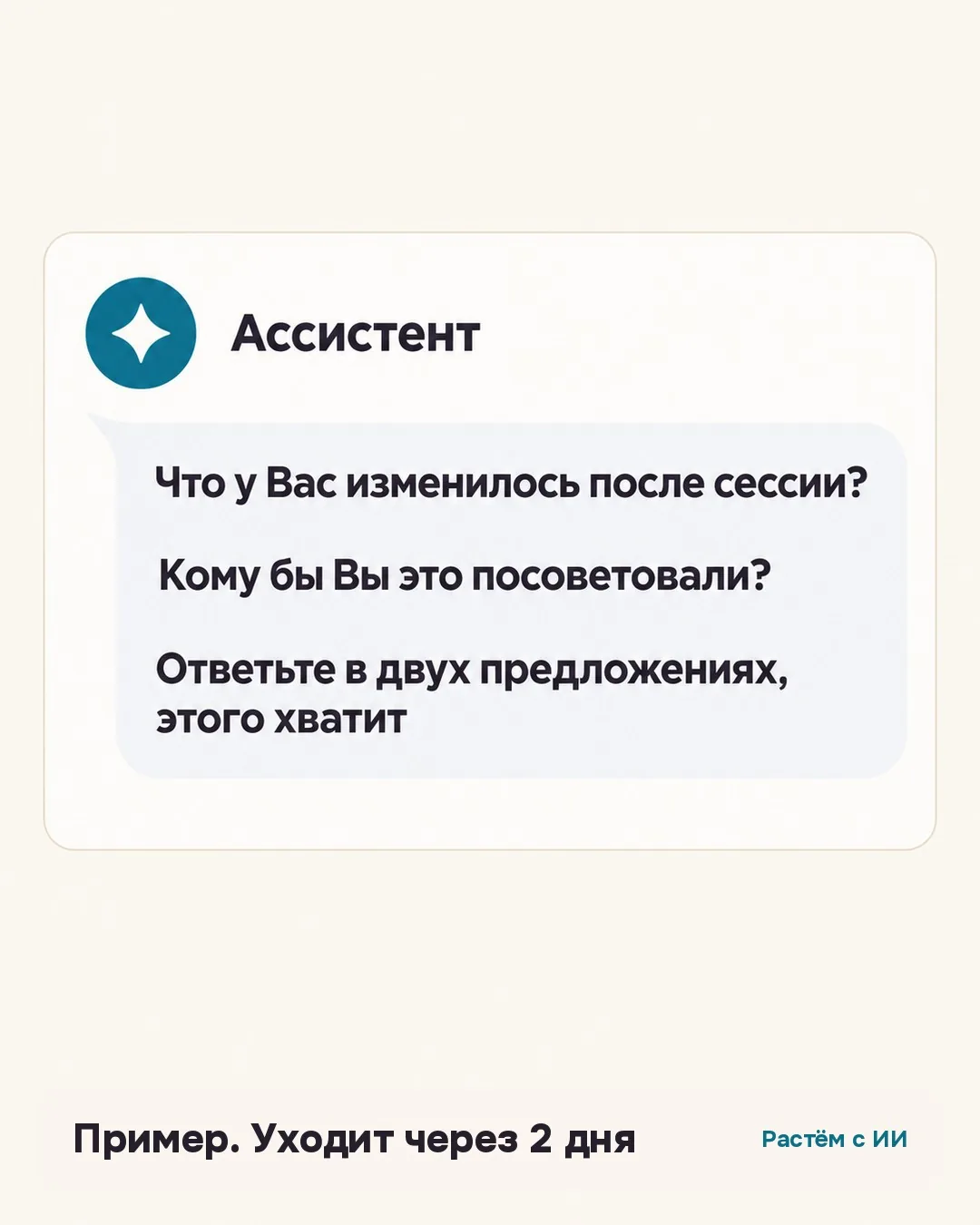
The simpler the question, the higher the chance someone answers it the same day. Two questions a client can answer in a minute, with no preparation and no feeling that they're writing an essay:
"What changed for you after the session?" This is specifics instead of a rating. The answer to this question almost never comes out vague, because the question asks you to name the change itself, not score it.
"Who would you recommend this to?" The answer itself suggests the wording of the recommendation that a future client, reading reviews before booking, actually needs.
How to turn the answer into a ready quote
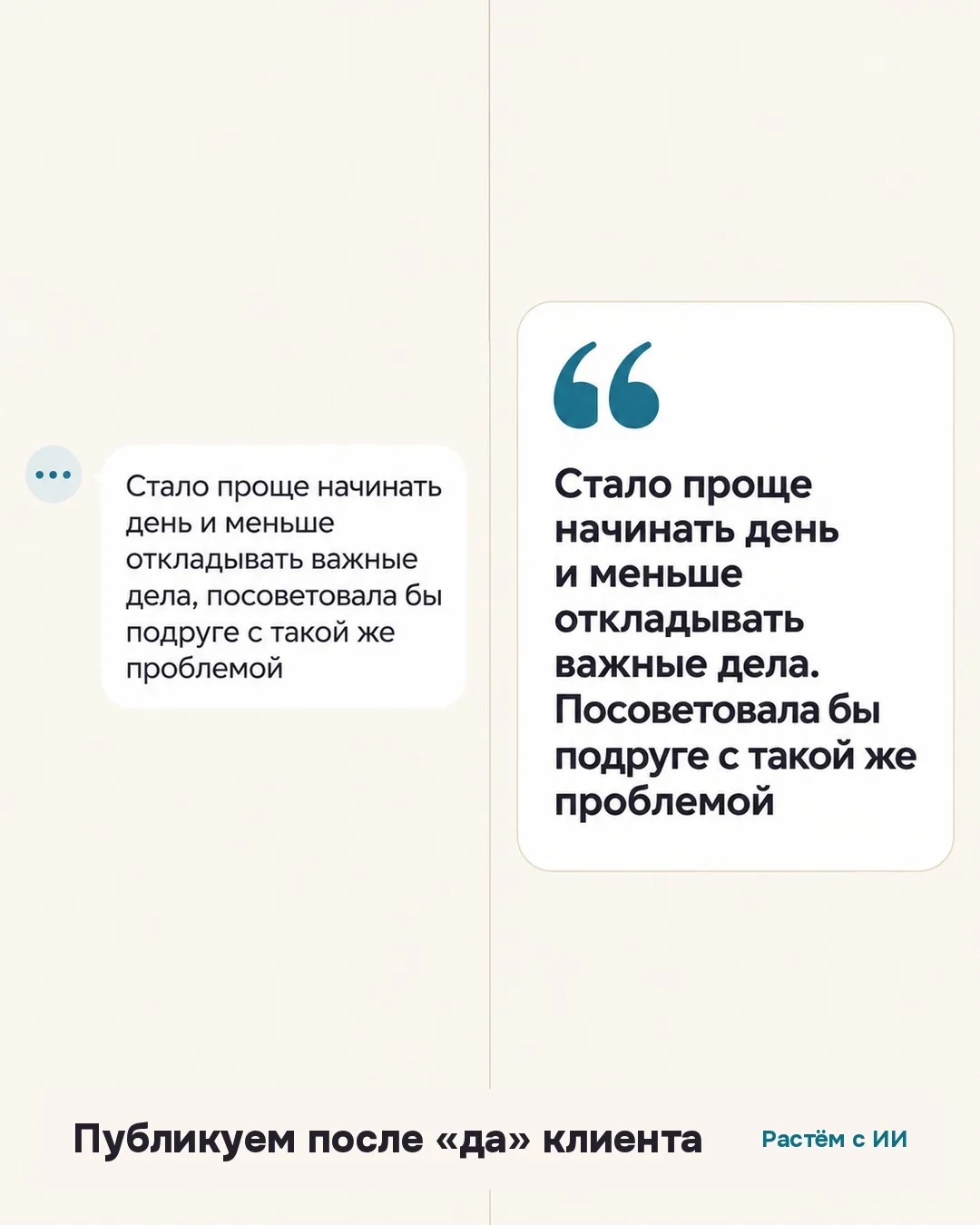
A client's answer almost never arrives as a ready-made quote for a site: it's usually a normal message, with repetitions, filler words, and typos. That answer then gets copied into a chat with a neural network with a direct instruction: "Turn this into a testimonial in two sentences, don't invent anything."
The "don't invent anything" condition isn't a formality here. The AI's job is to cut what's unnecessary and assemble a coherent text, not to add details the client never mentioned. The words in the testimonial stay the client's words, only their order and length change.
Going further: if you don't have ChatPlace
The "event, pause, message" logic isn't tied to one service. Zapier and Make deliver the same result through a trigger plus a delay step, set up without a single line of code. If you already have a bot built through vibe coding in Claude Code or Codex, you can ask the neural network to add the same logic to it: keep a simple table with the client's name, session date, and a "testimonial requested" flag, and check once a day who's reached the right day. I wrote about turning an ordinary chat with a neural network into a standing assistant with memory of the task in how to build a personal AI assistant in an ordinary chat with no code.
If automation still feels like an extra step for now, a simplified version without any bot works too: an ordinary calendar reminder set for "a day or two after the session" that prompts you to send those same two questions by hand. It doesn't remove the routine entirely, but it removes the most common reason it fails: a forgotten moment.
What to watch for when setting this up
Not every session needs the exact same question. For a coach, "what changed" might sound better as "what step did you take after our conversation," for a business consultant as "what decision did you make thanks to the meeting." Reword the questions for your own practice without changing the idea itself: specifics instead of a general rating.
It matters not to send a testimonial request after a cancelled or rescheduled meeting: the scenario should check that the session actually happened, not just that the date on the calendar arrived. And it's worth not mixing a testimonial request with a conversation about payment or booking the next session in the same message: the two have a different tone, and combining them confuses the client.
Honest limits: what the assistant doesn't do
The assistant doesn't replace the client's consent to publish. A quote it assembled still doesn't go on the site without a separate yes from the person, even if the answer turned out very good. It doesn't send a second reminder: if there was no answer, the attempt stays a single one, a repeat would read as pressure, not interest.
And it can't tell genuine gratitude apart from polite formality any better than you can by reading the answer yourself. It's worth checking the assembled quote against the original message before putting it on the site: a confident tone in the text says nothing about how accurately it carries the actual meaning of what was said. A human checking the result before it reaches a client stays the same rule here as with any other assistant you set up to work on your behalf.
If the answer is short or awkward
Sometimes instead of a full story, one line arrives: "thanks, I liked everything." The right move here isn't asking the AI to "expand on the thought": it has no access to what actually changed for the client, and any expansion would be its own words, not theirs. It's simpler to message the person yourself with one more short line and ask what exactly got easier.
If no answer arrives at all, that's a result too, just not the kind you need for the site. Not every session ends with a ready quote, and that's normal: testimonials come together gradually, not one per client without exception.
A similar idea, where a bot gathers a structured answer from a client itself and turns it into a short text, works on the other end of the client relationship too, before the first meeting: a pre-session form that sends you a summary by itself covers a parallel technique for getting to know a client before the session has even started.
Checklist
- Two questions for a testimonial: "What changed for you after the session?" and "Who would you recommend this to?
- Sent one to two days after the meeting, once, with no follow-up.
- The neural network turns the client's answer into a two-sentence quote without inventing anything.
- A testimonial only gets published after the client's explicit yes.
- Technically this is a delay step inside a bot's scenario, no developer needed.
- A short or vague answer isn't fleshed out by the AI's imagination, it's better to ask the person directly.
- If the client doesn't answer, there's no second reminder, that would read as pressure, not curiosity.
FAQ
Do I need a developer to set up a delayed message like this?
No. In bot builders (ChatPlace and similar tools) this is a ready-made scenario step called "Delay": you set the number of days after the trigger event, then add the message as the next step. Setup takes a few minutes.
How long after the session should you ask for a testimonial?
One to two days. Right after the session the client hasn't had time to notice any change yet, and after a week or two the details have already faded and the request reads as "sorry I only remembered you now.
What if the client doesn't answer the questions?
You don't send a reminder. One attempt without follow-ups reads as genuine interest in the client's opinion, not as fishing for a review.
How do you make sure the AI didn't distort the client's words?
Read the assembled quote next to the original answer before publishing it. The prompt includes a direct instruction not to invent anything, but the final check is still done by a person.
What if the client's answer turns out negative?
Don't publish it. That kind of answer isn't material for a quote on the site, it's a reason to message the client personally and find out what went wrong.
Can you collect testimonials this way without ChatPlace?
Yes. The same "event, delay, message" logic exists in Zapier, Make, and in a bot you can build through vibe coding with Claude Code or Codex, as long as you keep a simple table of contacts and meeting dates.
Sources
- Delay" action in the automation builder (ChatPlace help center)accessed: 2026-11-02
Want a system like this for your niche?
Book a free review: I'll show you what can come off your plate in content and sales.
Book a review →