Ready Examples to Connect Codex to Figma, Notion, and Payments Without a Developer
An expert or freelancer who sells automation to clients usually runs into the same line item on the bill: connecting services to each other. A Figma mockup needs to turn into a booking form, Notion needs to link to a client database, the website needs a payment button. Every time this looks like a separate job for a developer, and every time it costs extra.
Contents
Once you have more than one client or project, that line item keeps repeating. The time spent finding and briefing a new contractor eats into the exact benefit automation is supposed to bring. Hiring a developer for every single connection doesn't make sense: it's the same task each time, take a ready structure and fit it to the client.
OpenAI keeps an official catalog of Codex plugin examples on GitHub, free and open. Here's what's inside, how to take a ready example from it, how to tell Codex in your own words what to rework for yourself, and where the honest limit of a starting point like this sits.
What's in OpenAI's official Codex plugin catalog
The catalog is put together by OpenAI itself and open to anyone: there's no fee or separate subscription to look inside. Every example in the catalog is a ready structure that Codex understands right away and can develop further with its own tools.
The confirmed list of what's inside: starting points for Figma, for Notion, for web apps, for adding payments, for databases, and for building on iOS and macOS. Each example handles its own task rather than acting as one universal template for everything.
For an expert who doesn't write code themselves, this removes the same barrier vibe coding removes in general. You describe the task to a neural network in ordinary words instead of learning to program or hiring someone who already does. I covered this idea in more detail in the article «What is vibe coding».
Three steps to put together the connection you need
Turning a ready example from the catalog into a working setup for your own task takes three steps, and each one happens in ordinary words in a conversation with Codex.
- Open the catalog and pick the example that fits your task. For instance, the payment example if you need a button on a page, or the Notion example if you need a table for client requests.
- Tell Codex in your own words what to rework in the example. For instance: "swap the other product's name for mine, put requests into my database, not the test one."
- Ask it to explain the result in plain language. That way you see what actually changed, without having to read the code yourself.
Whatever you skip on the second step doesn't stay blank, Codex fills it in on its own, and not always the way you'd want. The more specific the wording on that second step, the less you'll need to redo later.
What this looks like in practice: three examples
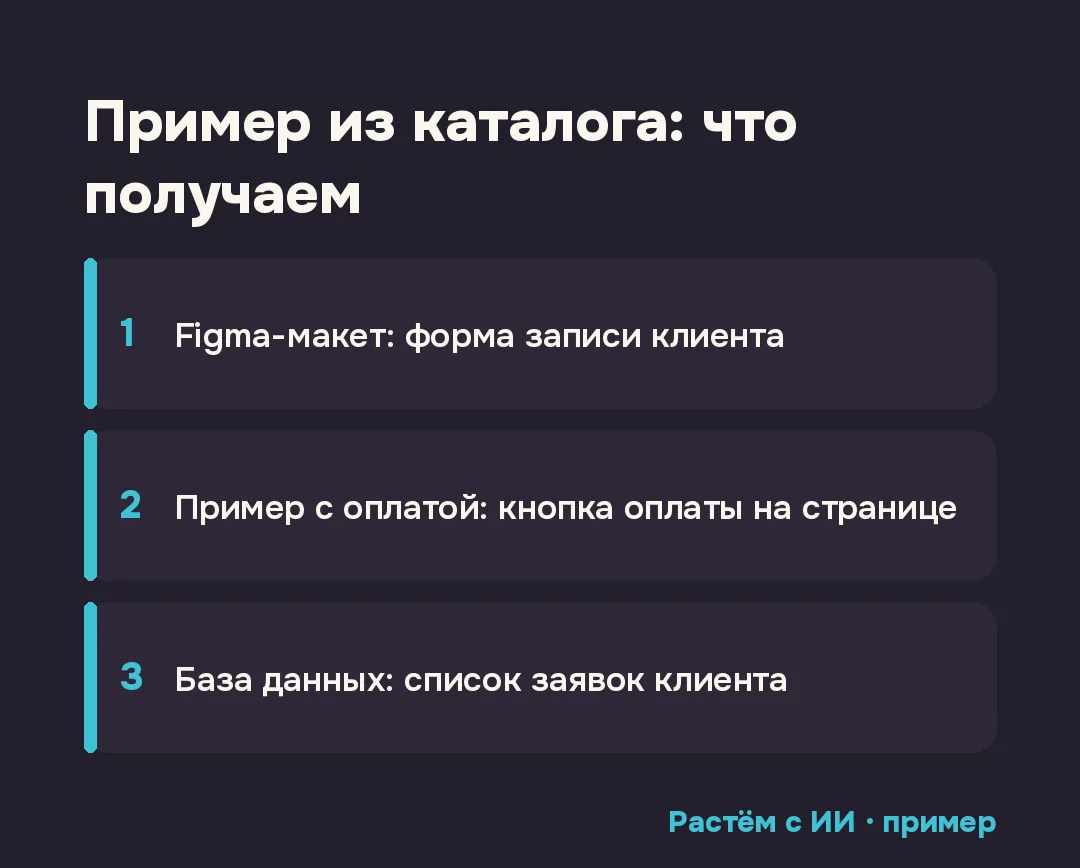
The Figma example turns into a client booking form: a mockup that used to be just a picture for a designer becomes a working form someone can fill in. The payment example turns into a button on a page that actually leads to payment, not just one that looks like a button. The database example turns into a list of client requests that updates itself, with no manual copying between tables.
These are three separate examples from one catalog, not three steps of the same connection: you can take just the one that fits your task without building out the rest.
The honest limit: a starting point, not a finished solution
An example from the catalog doesn't turn into a finished product the moment Codex explains what it changed. It's a starting point for a typical task, and fine-tuning for a specific client is almost always needed: a field name in the table, the text on a button, the order of steps in a form.
That fine-tuning happens right there, in the same chat where you reworked the example, with short phrases, not a new task from scratch. A similar logic of extending through ready modules exists in another tool of the same kind, Claude Code. I covered one of its modules in the article «You Should Know in Claude Code».
Who this catalog is useful for today
The catalog helps if you sell automation to clients and used to hand off connecting services to each other to a developer or freelancer as a separate job. A ready example closes exactly that part of the task, and all that's left is fitting it to the specific client in words, not code.
I've shown a similar connection before, "describe the task to a neural network in words, get a working tool with no developer," for a different case, an app for clients between sessions. The full breakdown with a ready prompt is in the article «How to build an app for clients without a developer».
Where to start today
Open the catalog and find the example that matches the task in front of you or your client right now: payment, a booking form, or a database. Describe to Codex in your own words what needs to change in that example for your exact name and data, and ask it to explain the result before showing it to the client.
Checklist
- OpenAI's catalog of Codex plugin examples on GitHub is free and open, no subscription needed.
- Inside are ready starting points for Figma, Notion, web apps, payments, databases, and iOS/macOS development.
- Three steps: pick the example that fits your task, tell Codex in your own words what to rework in it, ask it to explain the result in plain language.
- The Notion example turns into a working table that catches client requests, the payment example gives you a button on the page.
- This is a starting point, not a finished solution. Fine-tuning in the same chat is almost always needed.
FAQ
What is OpenAI's catalog of Codex plugin examples?
It's an official repository of examples on GitHub (github.com/openai/plugins), free and open. Inside are ready starting points for different tasks that Codex understands and can develop further with its own tools.
What examples does the catalog contain?
The confirmed list is Figma, Notion, web apps, payments, databases, and iOS/macOS development. I'm not naming other examples here, so as not to invent anything I haven't checked myself.
Do you need to know how to code to use an example?
No. An example is reworked in ordinary words in a conversation with Codex, the same way you'd explain a task to an assistant. The code inside is already written, what changes is what it does for your task.
Will it work perfectly the first time?
Honestly, no. This is a starting point for a typical task, not a finished product for your exact case. Fine-tuning with short phrases in the same chat is almost always needed.
Does this work for an expert with no technical background?
Yes, as long as you can describe the task in words, what should come out of it, what it needs to work with, what to leave untouched. Codex handles the technical side inside the example.
Sources
- OpenAI Plugins, the official repository of Codex plugin examplesaccessed: 2026-11-03
Want a system like this for your niche?
Book a free review: I'll show you what can come off your plate in content and sales.
Book a review →